Create schedule
Set fixed times, time windows, day parts or intervals for routines you entered yourself.
Steps
- Open the entry and choose Create schedule.
- Choose fixed times, a time window or a flexible day part such as morning, late morning, noon, afternoon, evening, night or all day.
- Use multiple daily times in Pro and set different amounts per time if needed.
- Set recurrences such as daily, every X days, weekly or an interval based on the last confirmed intake.
- Set a start date and optional end date. New schedules start tomorrow by default, while today can be selected deliberately.
- Review the plan hint and save the schedule.
- Move individual events later to the same or another day if needed.
Local and private
Schedules and local notifications stay on your device and are delivered by iOS.
No medical advice
IntakeCue does not recommend times of day and does not calculate dosage. Plan only from your own input or professional guidance.
App screenshots
Relevant views
The images support the steps, but do not replace the explanation.
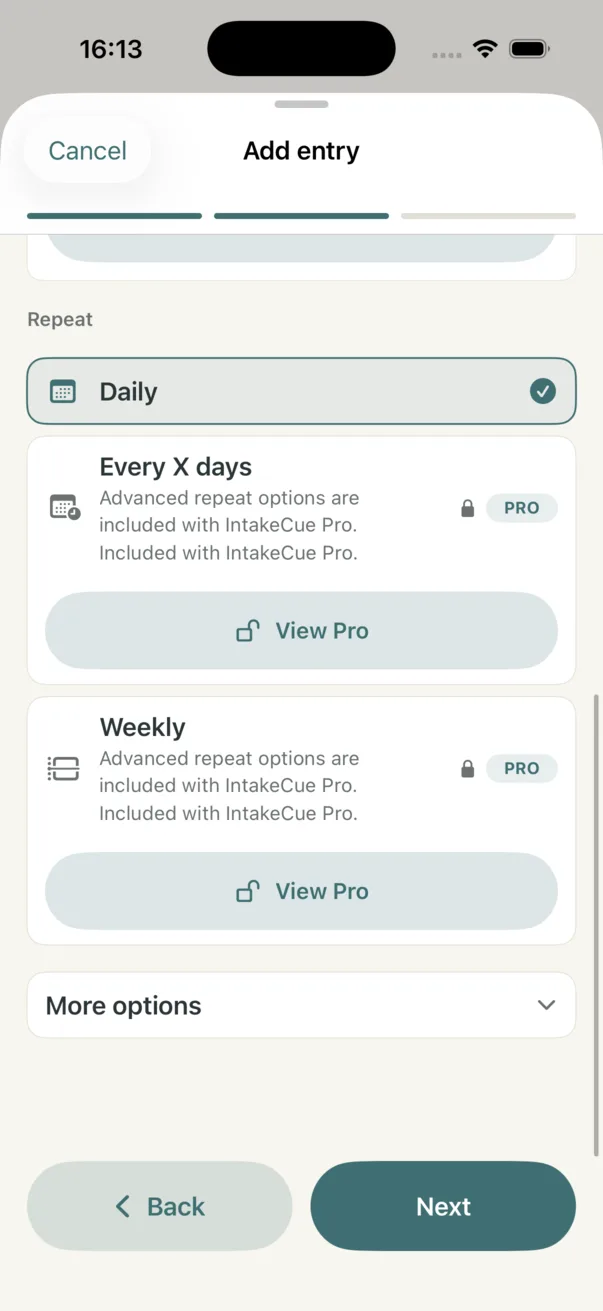
Repeats and Pro options
Daily is active, while advanced repeat options are clearly marked as Pro features.
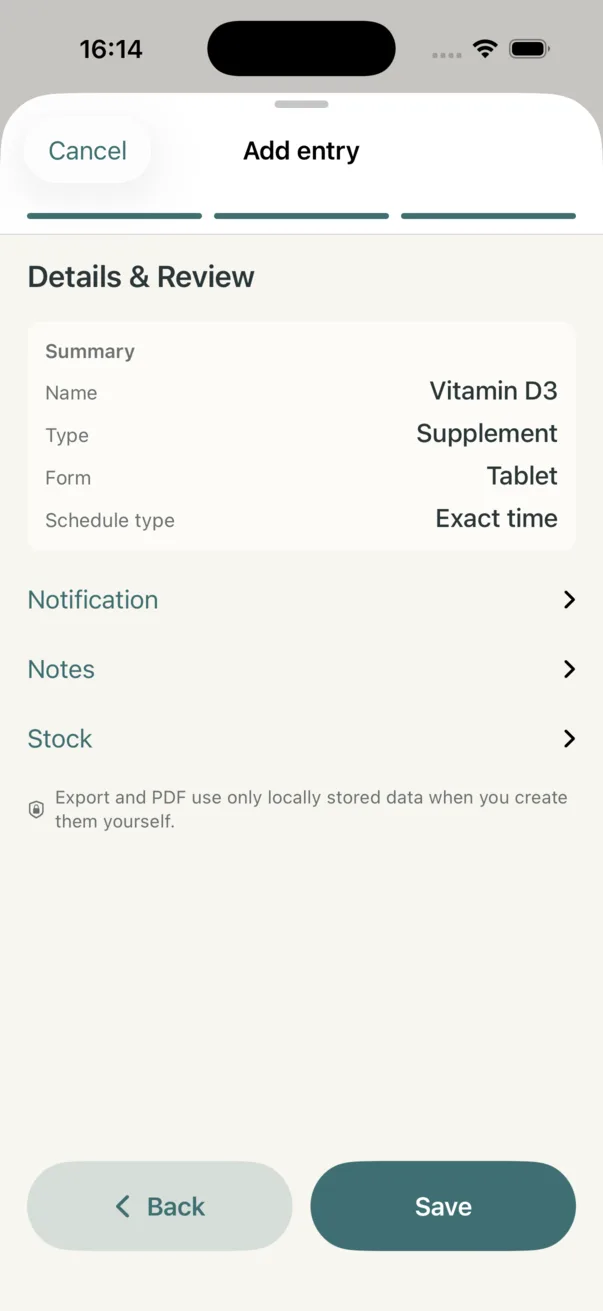
Review before saving
The final review confirms which schedule type will be saved for the entry.