
PDF export and raw data
Export your local data as raw data and create designed PDF reports in Pro.
Steps
- Open export and choose language, time range and content.
- Complete raw data export is available to all users and uses JSON.
- The export may include active, paused and past data, logs, symptoms, observations, amounts, stock, moves and photo references.
- Raw values plus localized labels help make data technically traceable and readable.
- Review the export integrity message before sharing the file.
- PDF reports are a Pro feature and are created locally from selected content.
- Sharing uses the Apple Share Sheet. After that, shared files are outside IntakeCue.
Local and private
Raw data and PDF are created locally. IntakeCue does not receive a copy of your exports.
No medical advice
PDF reports are personal documentation, not a medical assessment.
App screenshots
Relevant views
The images support the steps, but do not replace the explanation.
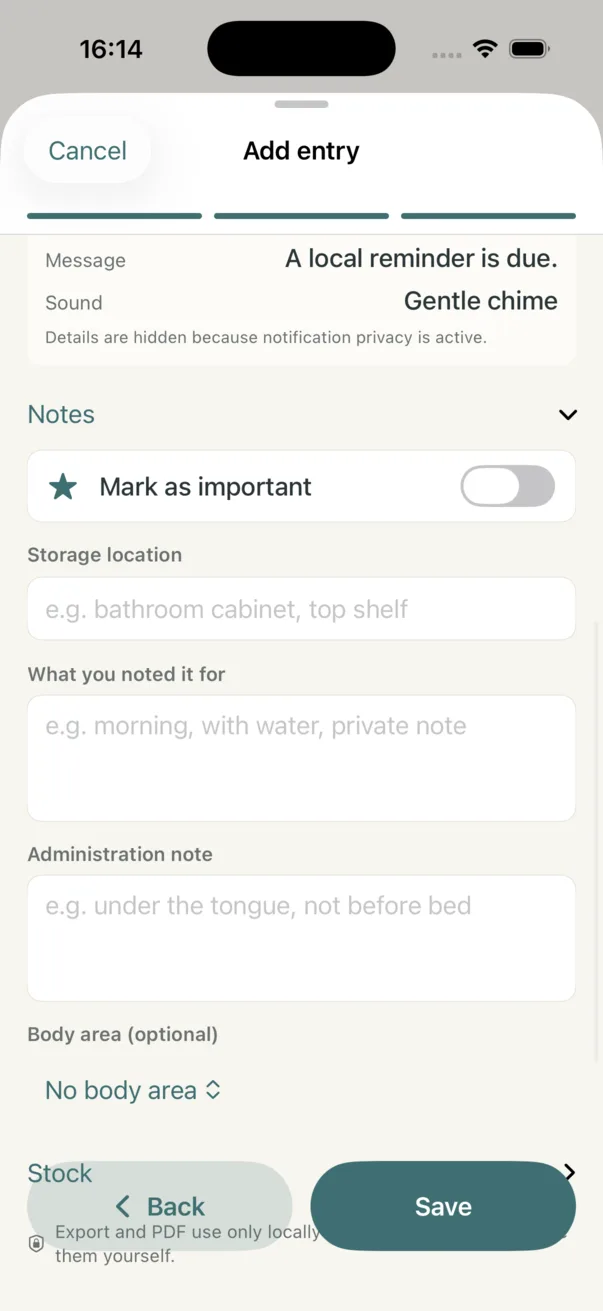
Documentation data for reports
Notes, storage place, body area and observations are examples of data that may be exported.
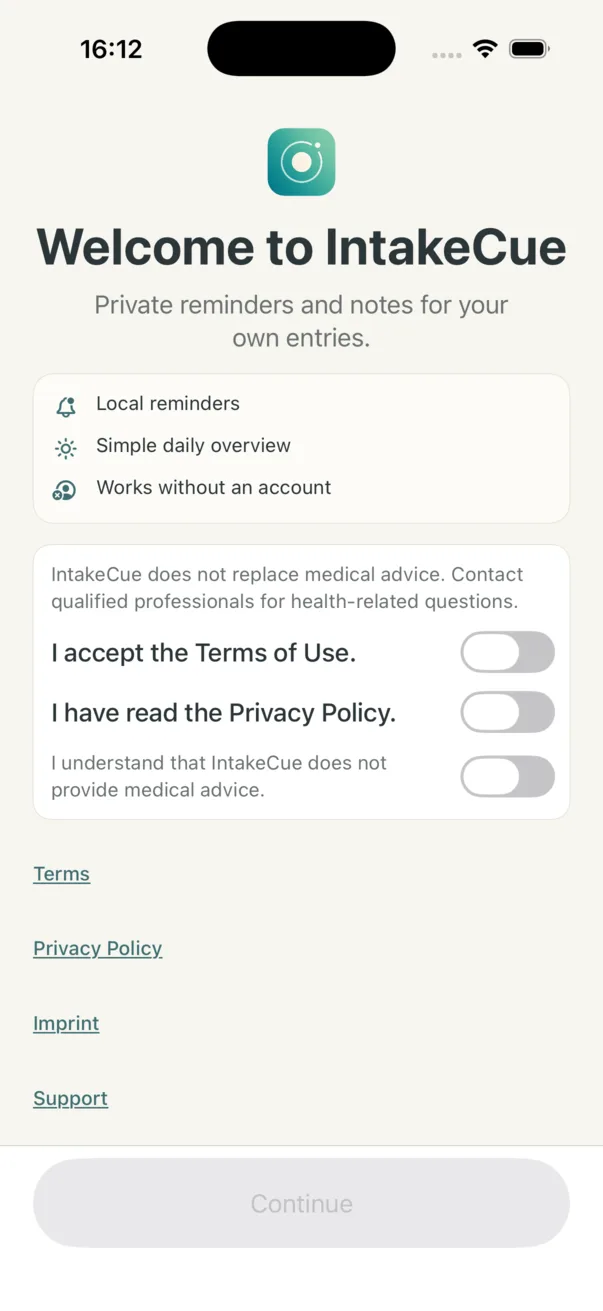
Privacy before export
Onboarding makes clear that IntakeCue does not replace medical advice and links to privacy and support.