Delete data
Delete local IntakeCue data deliberately and export a copy first if needed.
Steps
- Create a complete local export before deleting if you still need the data.
- Start deletion in app settings and read the multi-step confirmation.
- Confirm with DELETE if you really want to continue.
- Deleted items include entries, schedules, rules, logs, symptoms, observations, photos, thumbnails, stock, packages, timers, local settings, widget snapshot and local notifications.
- Your Apple subscription and files already saved or shared outside the app are not deleted.
- After deletion, onboarding appears again.
- Data cannot be restored from an IntakeCue cloud because no such cloud exists.
Local and private
Because IntakeCue uses no developer account and no IntakeCue cloud, app content is stored locally on your device.
No medical advice
Deleted personal documentation cannot later be restored by IntakeCue from a server.
App screenshots
Relevant views
The images support the steps, but do not replace the explanation.
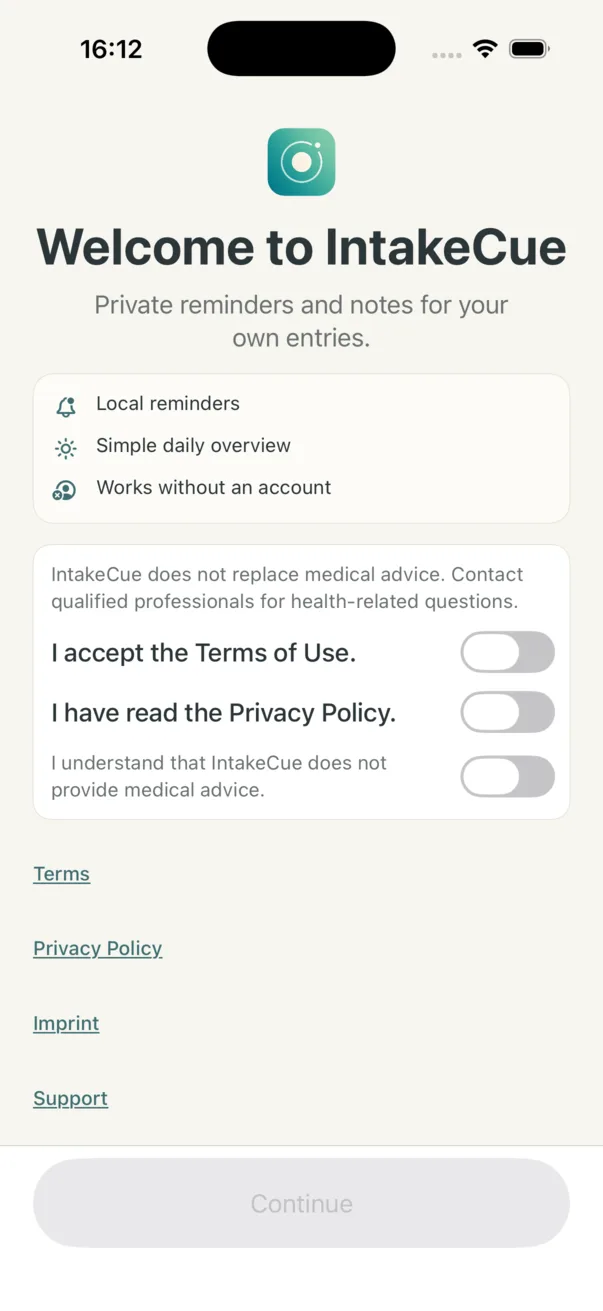
Onboarding and legal notes
After a full reset, onboarding may become relevant again.