
Add photo
Store local photos for entries, symptoms, complaints or observations.
Steps
- Open the entry, symptom or observation you want to attach a photo to.
- Choose camera or library and confirm the iOS permission if requested.
- Entry photos are prepared as square center crops and compressed locally.
- Photos for symptoms and observations keep their aspect ratio.
- Check the image in the photo viewer and replace or remove it if needed.
- Save the change. Entry photos may appear in Today, Plan and Widget for orientation.
Local and private
Photos stay local in your app environment unless your device and backup settings do something else.
No medical advice
Photos are only for your own orientation. IntakeCue does not analyze images, identify pills or check substances.
App screenshots
Relevant views
The images support the steps, but do not replace the explanation.
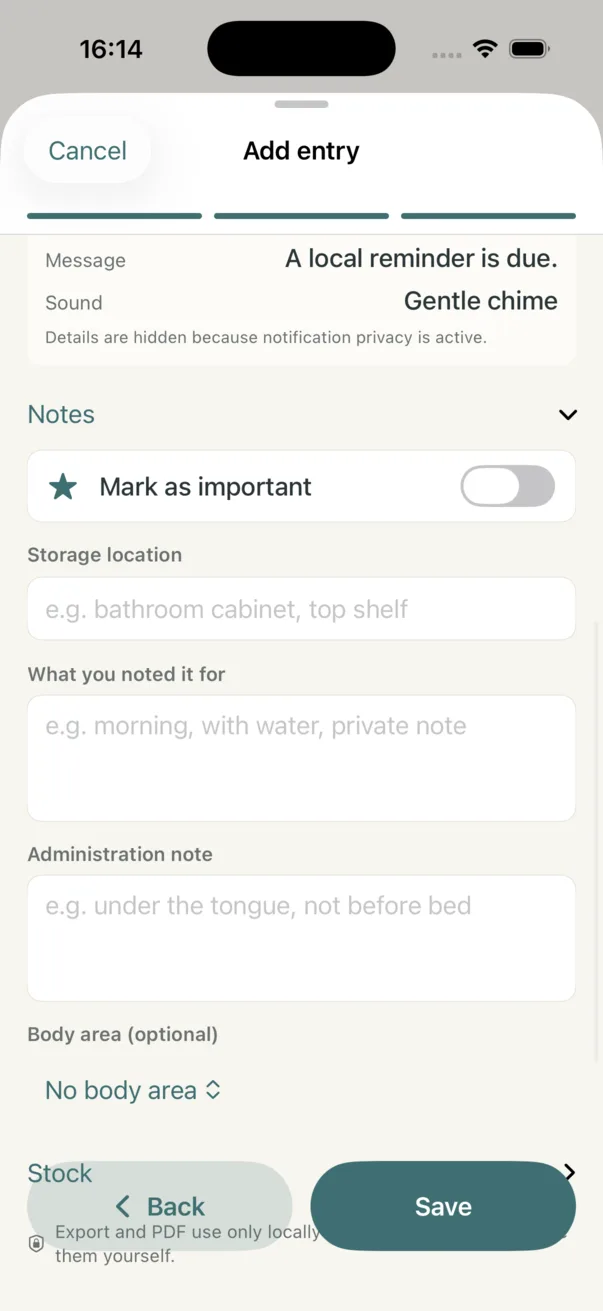
Photos and notes in context
Notes, body area and observations add context without image analysis.