Add entry
Create your own IntakeCue entry for an intake, supplement, routine or note.
Steps
- Tap Add in the entries view.
- Enter a clear name and choose type and form.
- The form presets the matching unit, for example tablets, capsules, drops, milliliters, grams or sprays.
- Enter the planned amount and check required fields and validation messages.
- Choose a color so the entry is easier to recognize in Today, Plan and Widget.
- Optionally add a photo from camera or library. The entry photo is processed locally as a square image.
- Continue to the schedule or save the entry and edit it later.
Local and private
The entry, photo thumbnails and settings are managed locally on your device and are not sent to developer servers.
No medical advice
IntakeCue does not medically assess the entry, identify pills or replace advice from qualified professionals.
App screenshots
Relevant views
The images support the steps, but do not replace the explanation.
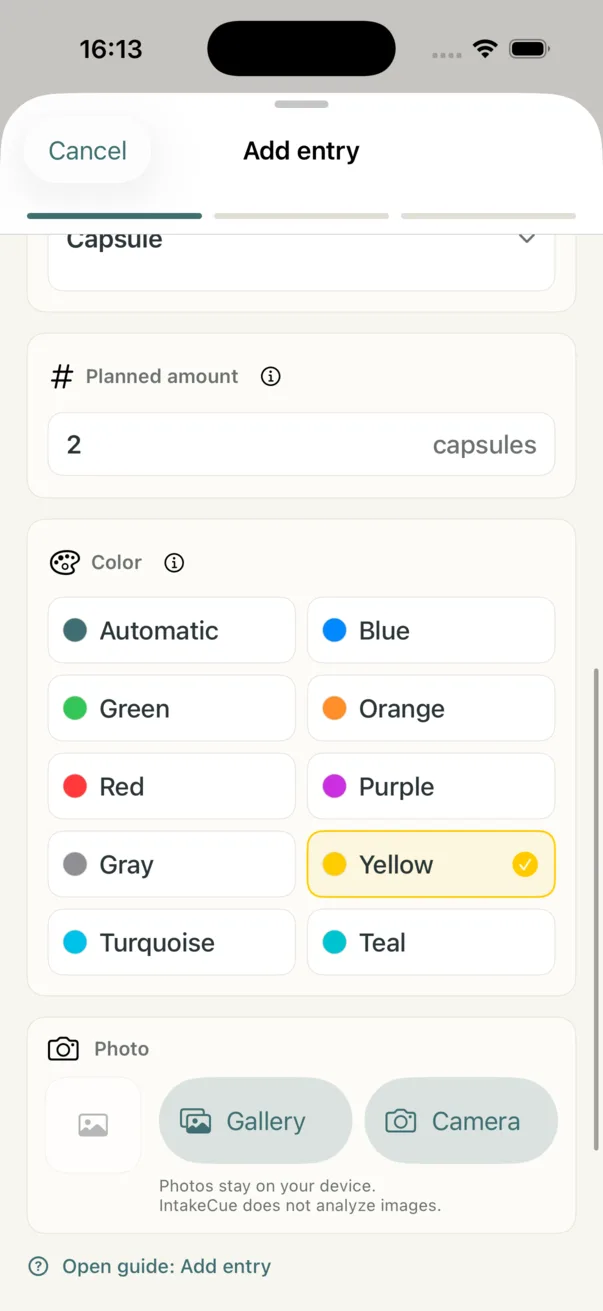
Step 2: amount, color and photo
Planned amount, color and local photo selection are handled in the same flow.
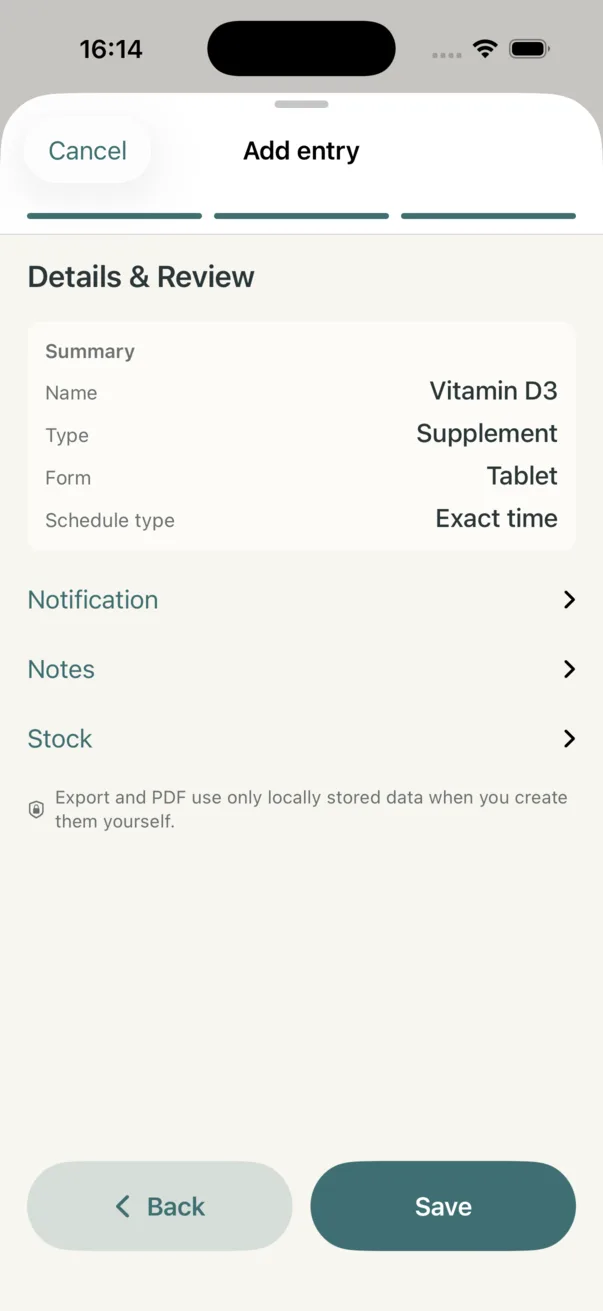
Step 3: review details
The review screen summarizes name, type, form and schedule before saving.